

In Android app development, showing a list of items is one of the most common tasks. For this, Android provides ListView (older) and RecyclerView (modern and powerful).
Both are frequently asked topics in ECET exams, mostly in conceptual questions.
📘 Concept Notes
1️⃣ What is ListView?
- ListView is an older Android UI component used to display a vertical list of items.
- Items scroll automatically.
- Works well for small or simple lists.
- Not efficient for large data.
Simple ListView Example:
<ListView
    android:id="@+id/listView"
    android:layout_width="match_parent"
android:layout_height="match_parent"/>In Activity:
String[] names = {"Rohit", "Kiran", "Anu", "Priya"};

ArrayAdapter<String> adapter = new ArrayAdapter<>(
    this,
    android.R.layout.simple_list_item_1,
    names
);

listView.setAdapter(adapter);2️⃣ Limitations of ListView
❌ Reuses very few views → inefficient
❌ Hard to customize UI
❌ Not good for large datasets
3️⃣ What is RecyclerView? (Modern List Component)
RecyclerView is the improved and advanced version of ListView.
⭐ Key Features
- View recycling (very efficient)
- Supports animations
- Supports multiple view types
- Works faster for large data
- Requires Adapter + ViewHolder classes
🧩 How RecyclerView Works (Simple Explanation)
Think of RecyclerView as:
“It creates only a few views and reuses them by recycling while scrolling.”
This avoids creating hundreds of views → better performance.
🛠 Basic Components of RecyclerView
| Component | Purpose |
|---|---|
| RecyclerView | The UI list container |
| Adapter | Binds data to each item |
| ViewHolder | Caches the views for performance |
| LayoutManager | Defines item arrangement (Linear, Grid) |
📝 RecyclerView Example (Simple Code)
Step 1: XML Layout
<androidx.recyclerview.widget.RecyclerView
    android:id="@+id/recyclerView"
    android:layout_width="match_parent"
android:layout_height="match_parent"/>Step 2: Item Layout (item_row.xml)
<TextView
    android:id="@+id/myText"
    android:layout_width="match_parent"
    android:layout_height="wrap_content"
    android:textSize="20sp"
android:padding="10dp"/>Step 3: ViewHolder + Adapter
public class MyAdapter extends RecyclerView.Adapter<MyAdapter.MyViewHolder> {

    String[] data;

    public MyAdapter(String[] data) {
        this.data = data;
    }

    public static class MyViewHolder extends RecyclerView.ViewHolder {
        TextView text;
        public MyViewHolder(View itemView) {
            super(itemView);
            text = itemView.findViewById(R.id.myText);
        }
    }

    @Override
    public MyViewHolder onCreateViewHolder(ViewGroup parent, int viewType) {
        View v = LayoutInflater.from(parent.getContext())
                               .inflate(R.layout.item_row, parent, false);
        return new MyViewHolder(v);
    }

    @Override
    public void onBindViewHolder(MyViewHolder holder, int position) {
        holder.text.setText(data[position]);
    }

    @Override
    public int getItemCount() {
        return data.length;
    }
}Step 4: Using RecyclerView in Activity
RecyclerView rv = findViewById(R.id.recyclerView);

String[] names = {"Rohit", "Kiran", "Anu", "Priya"};

MyAdapter adapter = new MyAdapter(names);

rv.setLayoutManager(new LinearLayoutManager(this));
rv.setAdapter(adapter);📌 RecyclerView vs ListView (Easy Comparison)
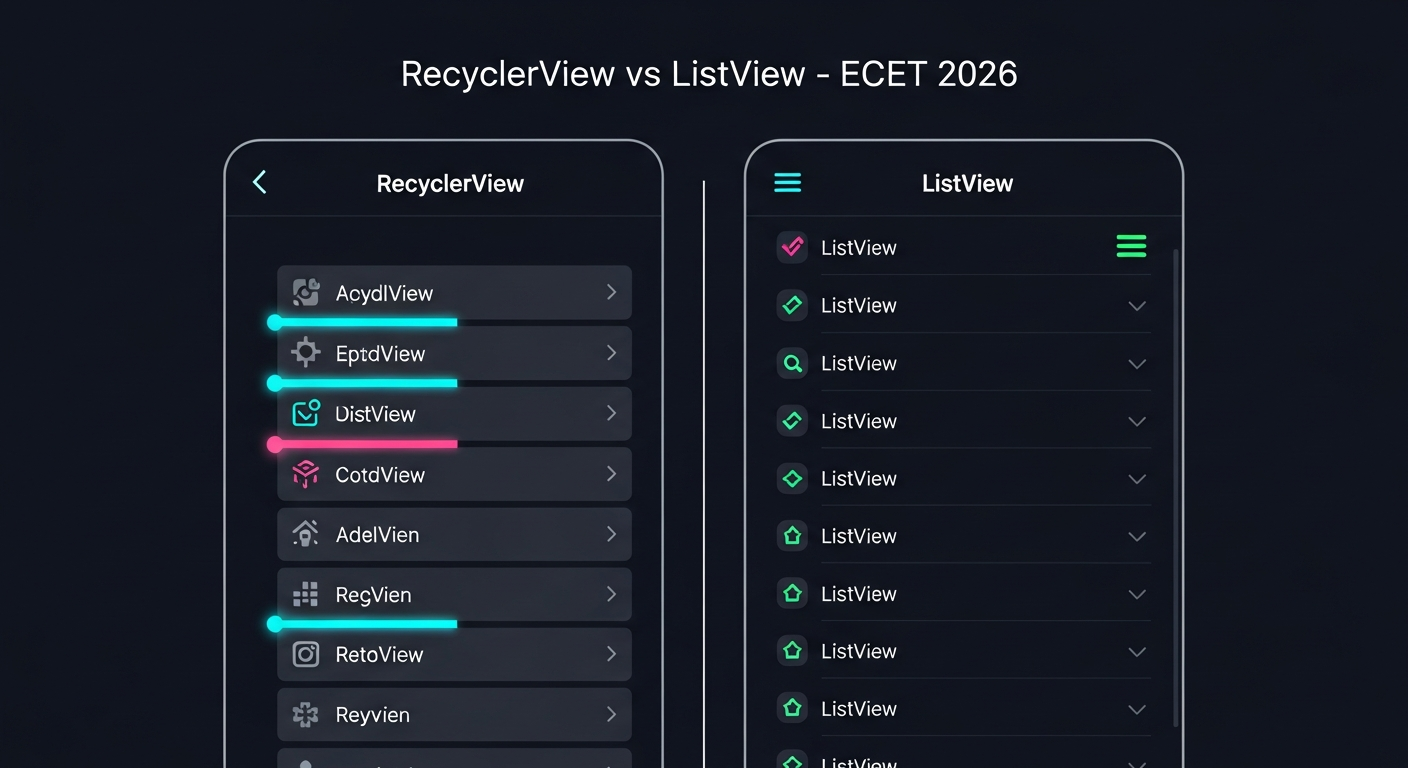
| Feature | ListView | RecyclerView |
|---|---|---|
| Performance | Slow | Fast |
| View Recycling | Basic | Advanced |
| Animations | Limited | Excellent |
| Custom UI | Hard | Easy |
| Use Case | Simple Lists | Large & Modern Lists |
✔️ Important Formula (HWS)
Sometimes ECET asks:
If RecyclerView loads only visible items, how many views created?
Formula:

(2 extra for buffer while scrolling)
🔟 10 MCQs – ECET 2026 Android
Q1. ListView is mainly used for:
A) Large datasets
B) Simple lists
C) Animations
D) Games
Q2. RecyclerView is the improved version of:
A) GridLayout
B) ListView
C) TableView
D) RelativeLayout
Q3. RecyclerView improves performance using:
A) Extra RAM
B) View Recycling
C) GPU
D) Threads
Q4. In RecyclerView, ViewHolder is used for:
A) Animations
B) Memory storage
C) Caching views
D) Increasing text size
Q5. Which component decides layout of items?
A) Adapter
B) LayoutManager
C) ListView
D) ViewHolder
Q6. Which is more customizable?
A) ListView
B) RecyclerView
Q7. Which method binds data in RecyclerView?
A) onCreate()
B) onStart()
C) onBindViewHolder()
D) onResume()
Q8. In ListView, data is given through:
A) Adapter
B) LayoutManager
C) ViewHolder
D) Controller
Q9. RecyclerView requires minimum how many classes?
A) 1
B) 2
C) 3
D) 4
Q10. Formula for number of views created on screen is:
A) height × width
B) width ÷ height
C) height ÷ item height
D) height + width
✅ Answer Key
| Q.No | Answer |
|---|---|
| Q1 | B |
| Q2 | B |
| Q3 | B |
| Q4 | C |
| Q5 | B |
| Q6 | B |
| Q7 | C |
| Q8 | A |
| Q9 | C |
| Q10 | C |
🧠 Explanations
- ListView → best for simple lists.
- RecyclerView → advanced, powerful, efficient.
- ViewHolder reduces repeated
findViewById(). - LayoutManager controls arrangement.
- onBindViewHolder() = used for binding data.
- RecyclerView uses View recycling, making it fast.
🎯 Why This Topic Matters
- ECET repeatedly asks questions about RecyclerView vs ListView, their architecture, and working principles.
- Understanding ViewHolder and Adapter gives you strong fundamentals for Android development.
📲 Join Our ECET Prep Community on WhatsApp
👉 Join here:
https://chat.whatsapp.com/GniYuv3CYVDKjPWEN086X9